# How to Create a Legendary GitHub Profile?
I just started blogging here on [Hashnode](https://hashnode.com) a few weeks ago. Only after I posted my first article realized that **Hashnode is much more about than just writing**. The **greatest opportunity actually is reading.**
**I got totally addicted to reading Hashnode**. I read whenever I am travelling, smoking or walking on the street and sometimes even on the toilet. 😊
I am **constantly browsing the Recent section** of the Hashnode app. I literally **read every blog post title**. In the end, **I read many articles which are connected to my current knowledge**, but I am quite open to new things, so **I also read any interesting stuff.**
I even **started to post a curated Hashnode weekly newsletter** in which I write about the articles I found most insightful during the last week. Check out [Hashnode Weekly 001](https://mszeles.com/hashnode-weekly-001-by-miki-szeles) by Miki Szeles and [Hashnode Weekly 002 by Miki Szeles](https://mszeles.com/hashnode-weekly-002-by-miki-szeles).
A few weeks ago I **stumbled upon an article here on Hashnode about how to create a Chrome extension**, which inspired me to develop my [open-source plugin Selenideium Element Inspector](https://mszeles.com/save-dozens-of-minutes-daily-during-writing-selenide-and-selenium-e2e-automated-tests-using-the-selenideium-element-inspector-chrome-extension) with which **test automation teams can save hours daily** as **they can generate all relevant selectors for Selenide, Selenium, Cypress, TestCafey, Squish and Playwright.**
And also this is the way how I **found an awesome post about how to create an outstanding GitHub profile**. I did not know, but in case you create a public repository with a README file using your username as the repo name, it will be displayed on your GitHub profile.
%%[google-adsense]
So I followed the steps described in this article and here is the result:
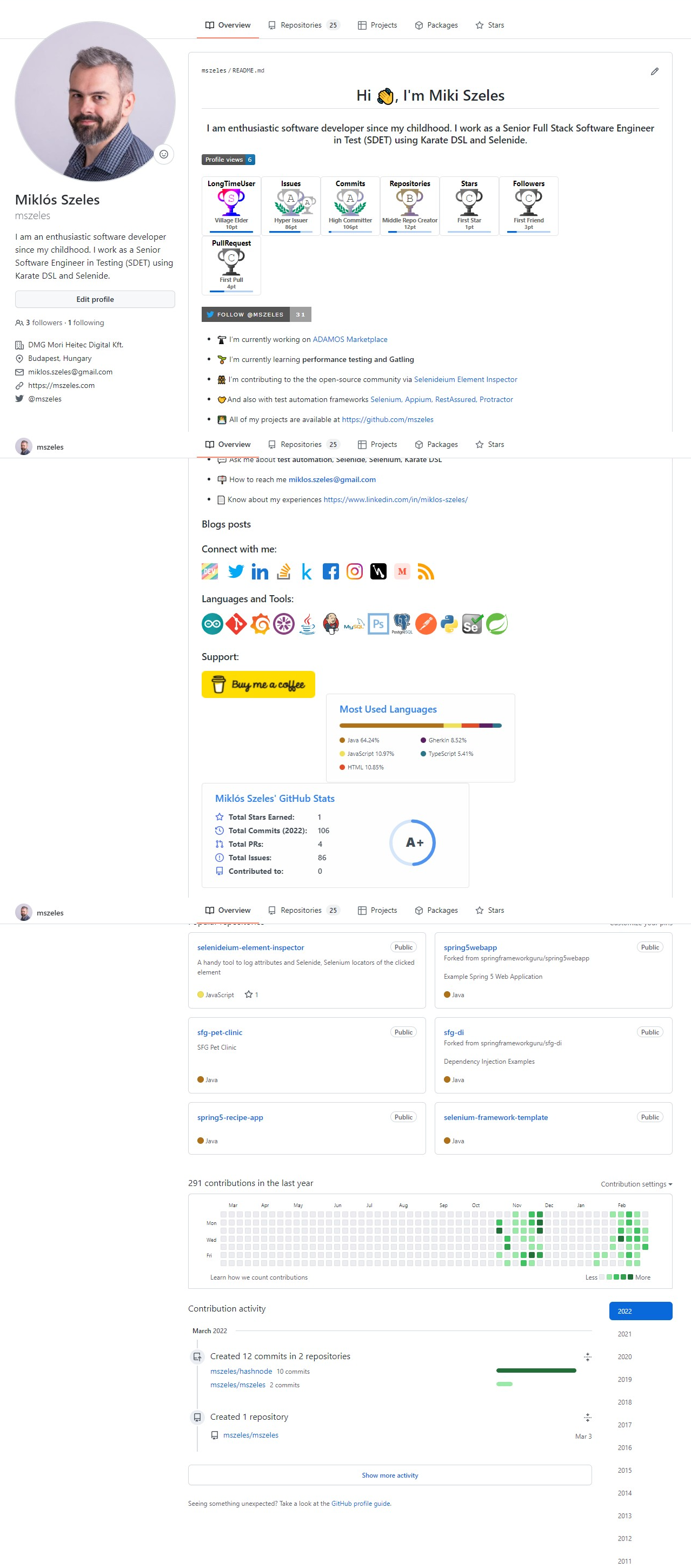
I was amazed. **It is indeed legendary.** 😊
The screenshot is a little bit distorted so check [my profile on GitHub](https://github.com/mszeles).
In case you would like such an awesome Github profile page just read @[naveenkumar j](@naveenkumarj)'s outstanding article: [Tricks and Hacks: How to make your GitHub profile readme.md looks stunning within 3 steps](https://naveenkumarj.hashnode.dev/tricks-and-hacks-how-to-make-your-github-profile-readmemd-looks-stunning-within-3-steps).
**Whenever you are ready, post your GitHub link here, so we can check it.**
Who knows maybe we will find some interesting open-source projects. 😊
P.S.: **Thanks for sharing the article**. 👍
In case you do **not want to miss my posts**, just **follow me** [here on Hashnode](https://mszeles.com/), on [LinkedIn](https://www.linkedin.com/in/miklos-szeles/), on [Twitter](https://twitter.com/mszeles) on [Medium.com](https://medium.com/@mszeles), on [dev.to](https://dev.to/mszeles) and even on [Instagram](https://www.instagram.com/szelesmiki/). 😊