Selenium JavaScript Python C#, Cypress, TestCafe, Playwright, Squish selector generation has been added to Selenideium Element Inspector v2.0

I am an enthusiastic developer since my childhood. I have started with Plus 4 and C 16 machines programming in Basic. I still remember when we were jumping on the bed with my brother, and accidentally saw the Commodore 64 computer on the top of the wardrobe, which was planned to be a Christmas gift for us. I don't have to tell you that we couldn't wait till then. :) I will never forget this memory. Of course in the beginning we only played on the computer, but later I became interested in how can I make my own programs. I have to tell when I first faced the binary number system I did not understand it, but I was still able to draw some sprites on the screen. :)
I continued learning software development during grammar school. I got my Masters degree at the Budapest University of Economics and Technology where I learnt many languages and also learnt a lot about general software development theory and practice.
I have started my professional career as a C++/C# developer, but I switched to Java after a few years. I've visited many meetups and Code Retreats during this time and I've learnt and introduced Agile methodologies in our company. During the years I lead the development team in close cooperation with the product management and testing department.
In 2020 I felt I need something new and I turned towards test automation both API and UI. I did not regret my decision. Since then I tried many frameworks like RestArrured, Selenium, Protractor, Appium, Selenide and Karate.
At the moment I am working as a Senior Software Developer in Test using Selenium and Selenide for UI testing and Karate for API testing.
I believe knowledge sharing is very important, so apart from helping my colleagues work I started my technical blog recently: https://mszeles.com Sharing your knowledge provides many ways for your own development. Whenever I write an article many questions come into my mind which might be interesting for the readers, so I try to answer all of them in my posts. Doing this I learn a lot about the subject. In additionally sharing your knowledge gives a good opportunity for feedback based on which you can further improve.
Awesome news!
The new version of Selenideium Element Inspector can be downloaded from the Chrome web store.
So let's have a look, what are the new features
Automatically generating complete copy-pastable line of code for the following frameworks:
Selenium JavaScript
- Selenium Python
- Selenium C#
- Cypress
- TestCafe
- Playwright
- Squish
and of course also for
- Selenide
Selenium Java
Provide an option to select the testing frameworks for which selectors will be generated
Download Selenideium Element Inspector v2.0, and have fun.
Please leave a review in case you find the plugin useful!
Buy me a coffee in case you save time by using Selenideium Element Inspector!😊
As usual, we will continue with the implementation details.
Refactor again
In case you had a look at the code, you could see we still have some duplication, so it is time to get rid of that.
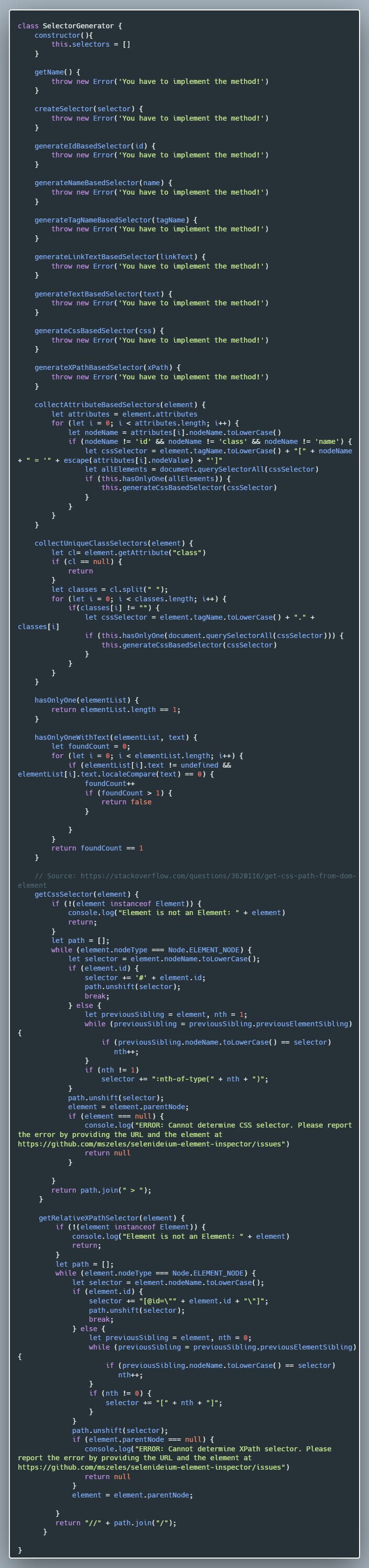
As my plan is to add support for many testing frameworks, it makes sense in case I create a common class for them. Before we do that, I have replaced variable declaration vars with lets inspired by this article.
So let's create SelectorGenerator class:
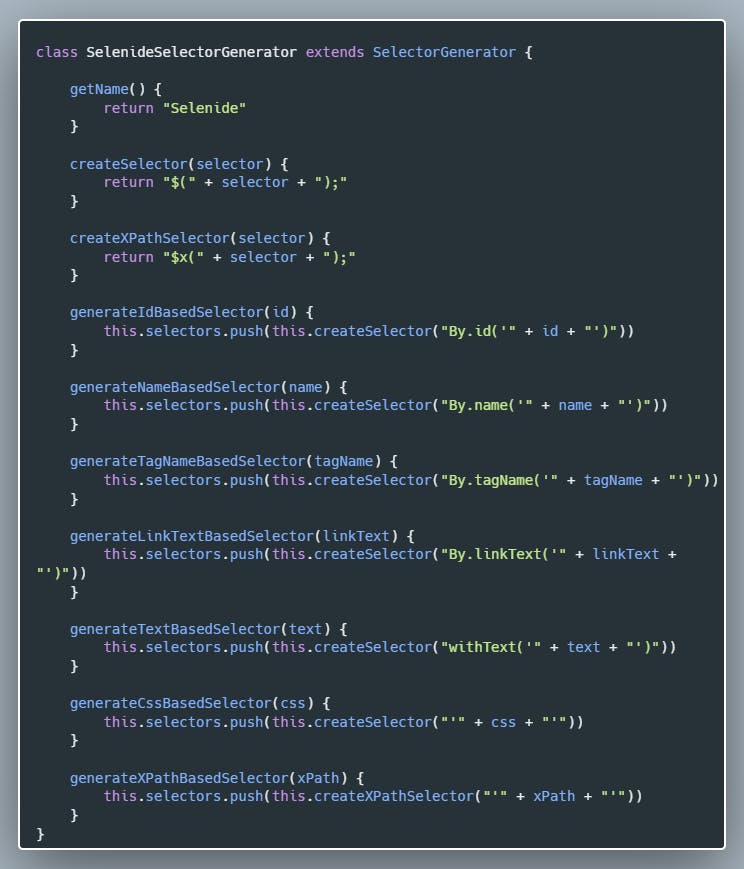
Let's create the Selenide specific subclass:
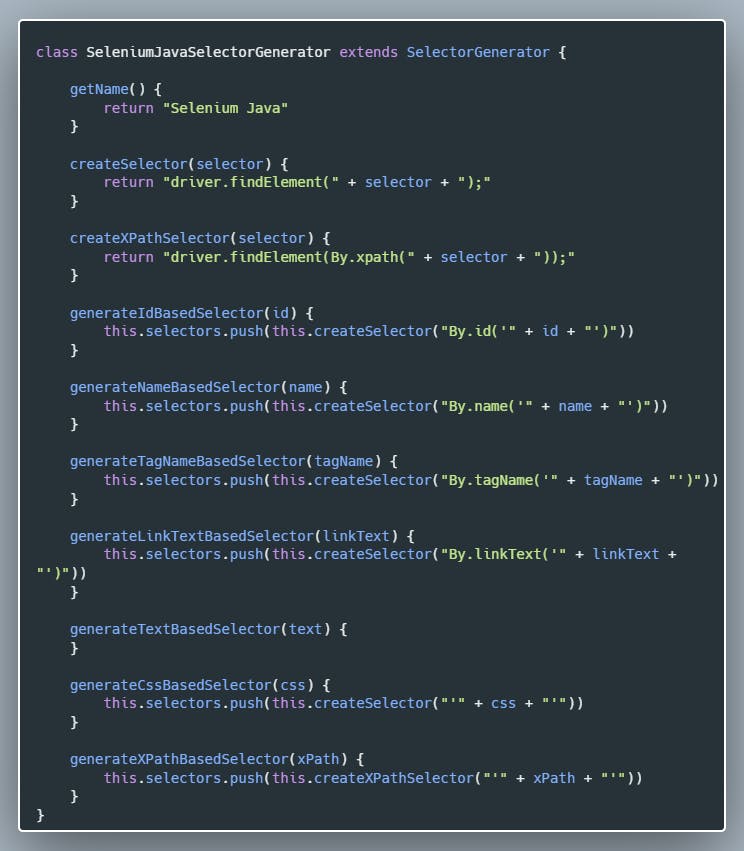
Create the Selenium Java-specific class:
And as a final step, let's refactor content.js to use the new classes:
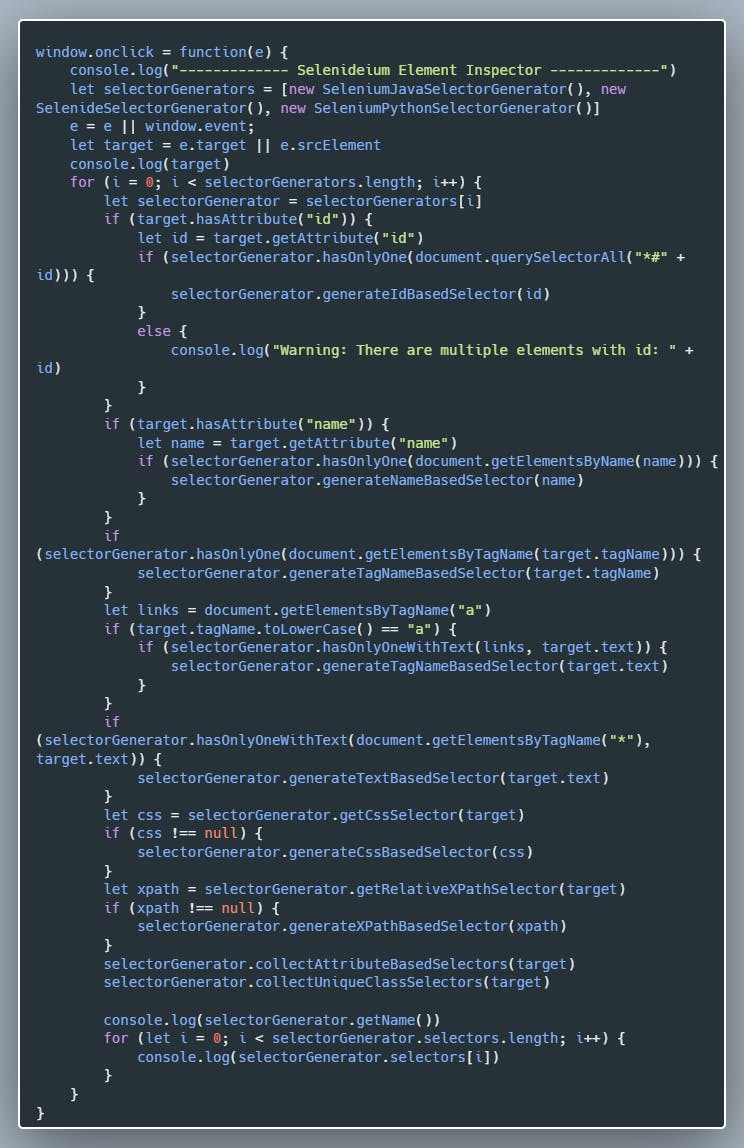
And that's it. It is very important to keep your codebase clean with frequent refactoring.
I wanted to separate the classes into their own JavaScript files, but as I am new to JavaScript I miserably failed with that. After a few hours, I gave up. I constantly got the following error: > SyntaxError: Cannot use import statement outside a module I tried to specify "type": "module", exporting, importing classes in different ways, but I could not solve it. If you could help me, that would be awesome.
Let's start feature development
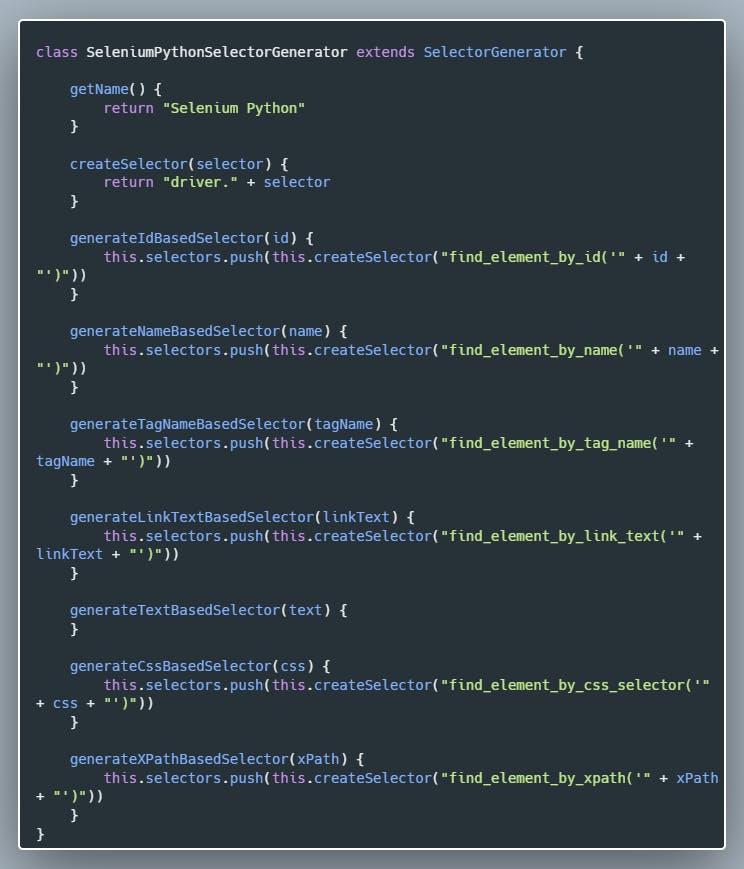
Adding Selenium Python support
It is so easy to add support for any testing framework:
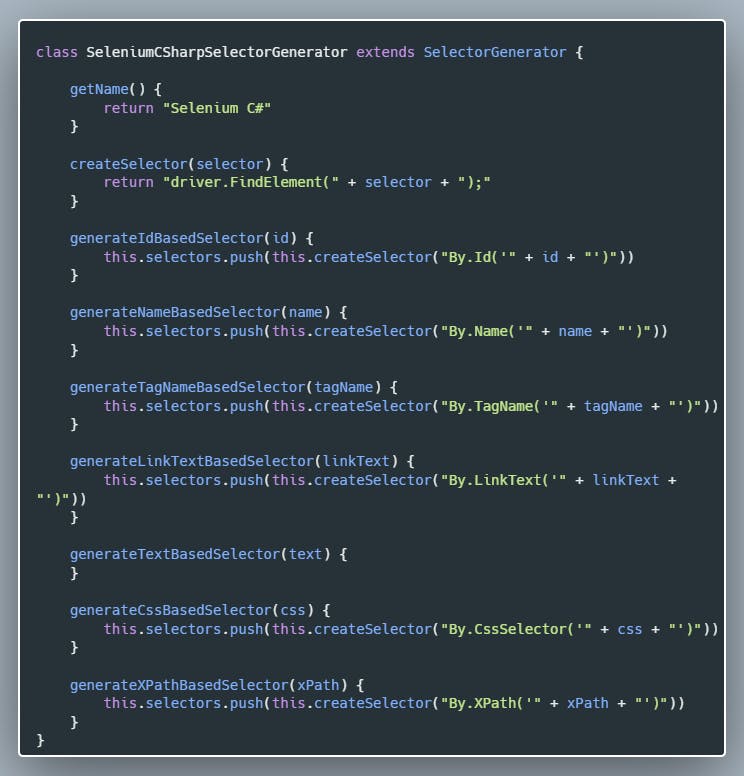
Adding Selenium C# support
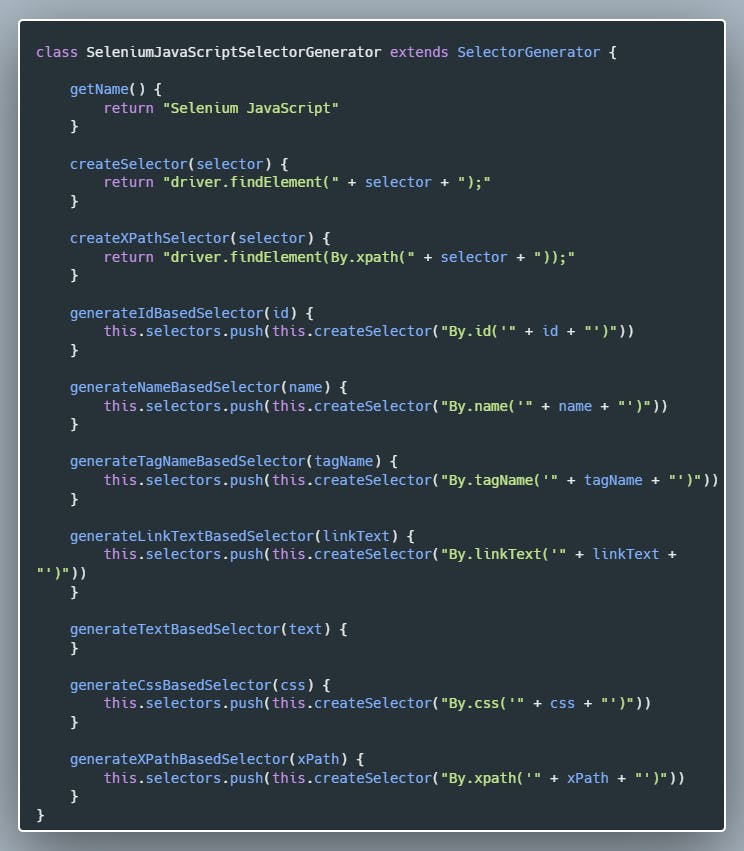
Adding Selenium JavaScript support
Adding Cypress support
So let's see how we can add Cypress support:Cypress Selector Generator Class 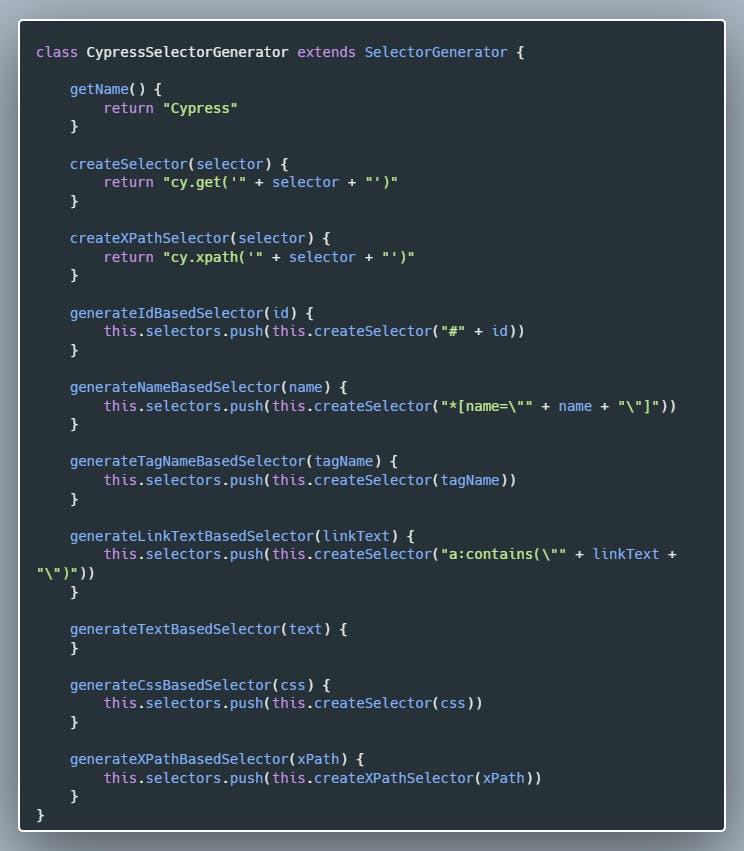
Adding Playwright support
Adding Playwright is as easy as adding any other framework support:
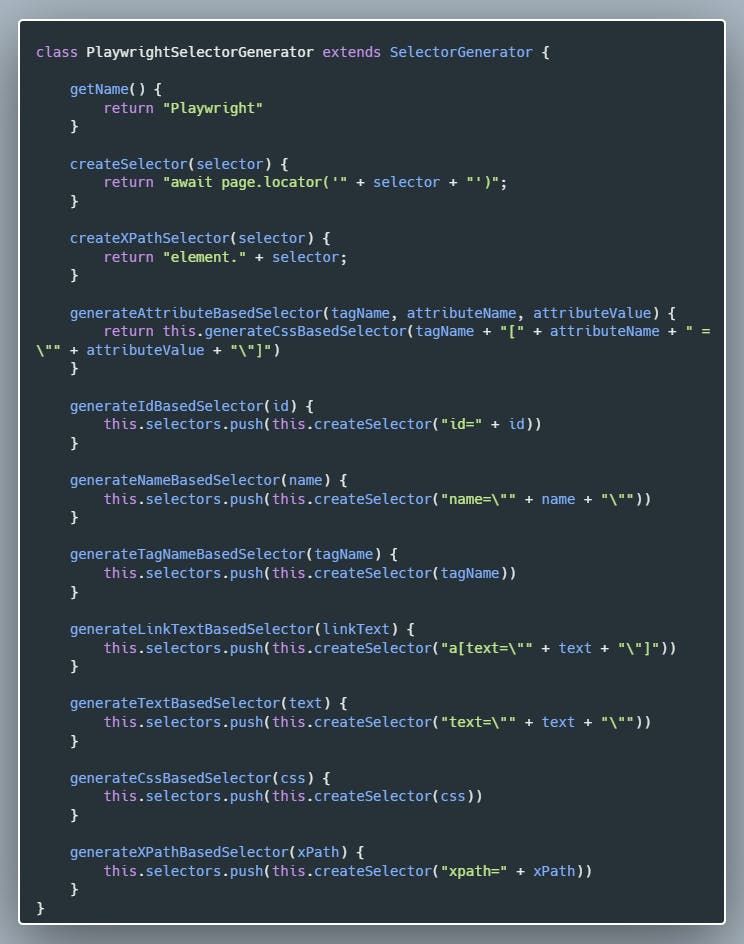
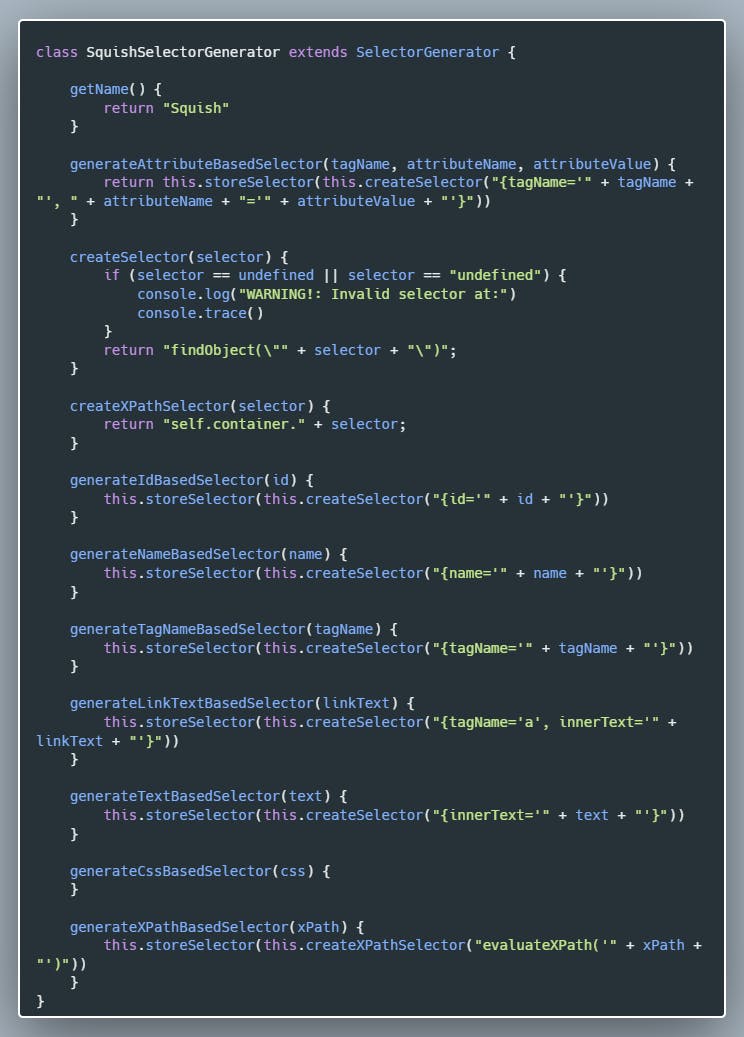
Adding Squish and TestCafe support I was talking with my colleagues from the company and I found out they are using Squish and TestCafe, so it was no question whether I will implement them or not.
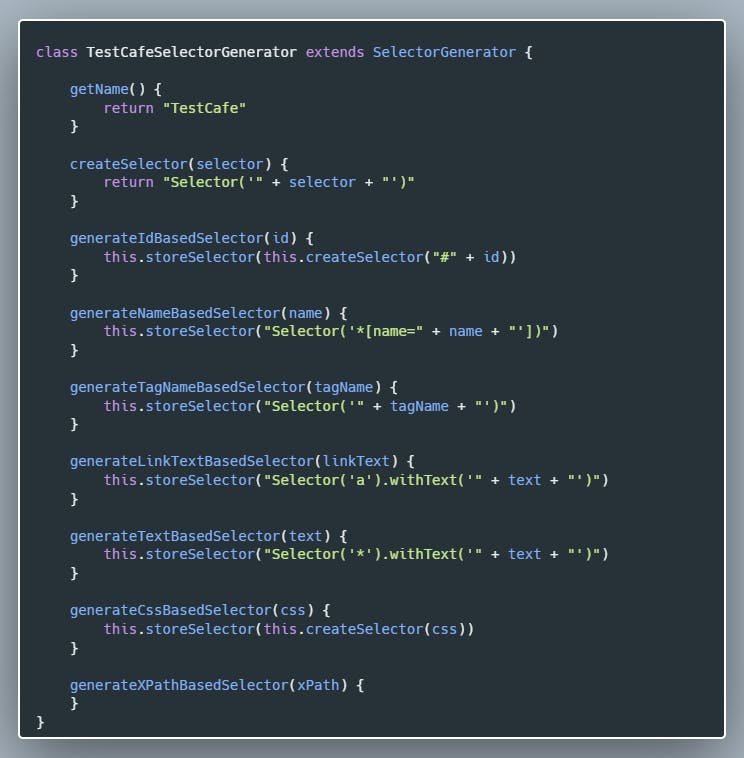
Adding TestCafe:
And that's it. We have added support for all testing frameworks planned for Selenideum Element Inspector v2.0. In case I missed your favourite framework, just create a ticket on GitHub, and I will implement it as soon as I can. 😊
After this, a few hours of debugging came. For some unknown reason, one selector for each framework appeared as "undefined". I filled the code with logs and also debugged the code without any success.
In the end, I refactored storing the selector into its own method, so I can log the stack trace in case I get an undefined value:
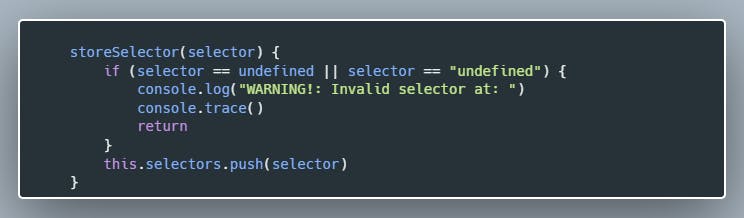
In the end, I found out I accidentally stored the return value of one of the generator functions which stores the selectors and it has no return value.
Let's do something more interesting to close this article
Configuring for which framework to generate selectors
As we have added Selenide, Selenium Java, Selenium Python, Selenium C#, Selenium JavaScript, Cypress, TestCafe and Playwright support we are logging too many selectors unnecessarily. In order to avoid that, let's make the frameworks selectable.
There are 3 steps we have to do:
- Create an options page and add checkboxes for the frameworks to the UI
- Store and load settings in chrome storage
- Log selectors only for the selected frameworksCreate an options page and add checkboxes for the frameworks to the UI
Create an options page and add checkboxes for the frameworks to the UI
This is easy, here is the options.html:
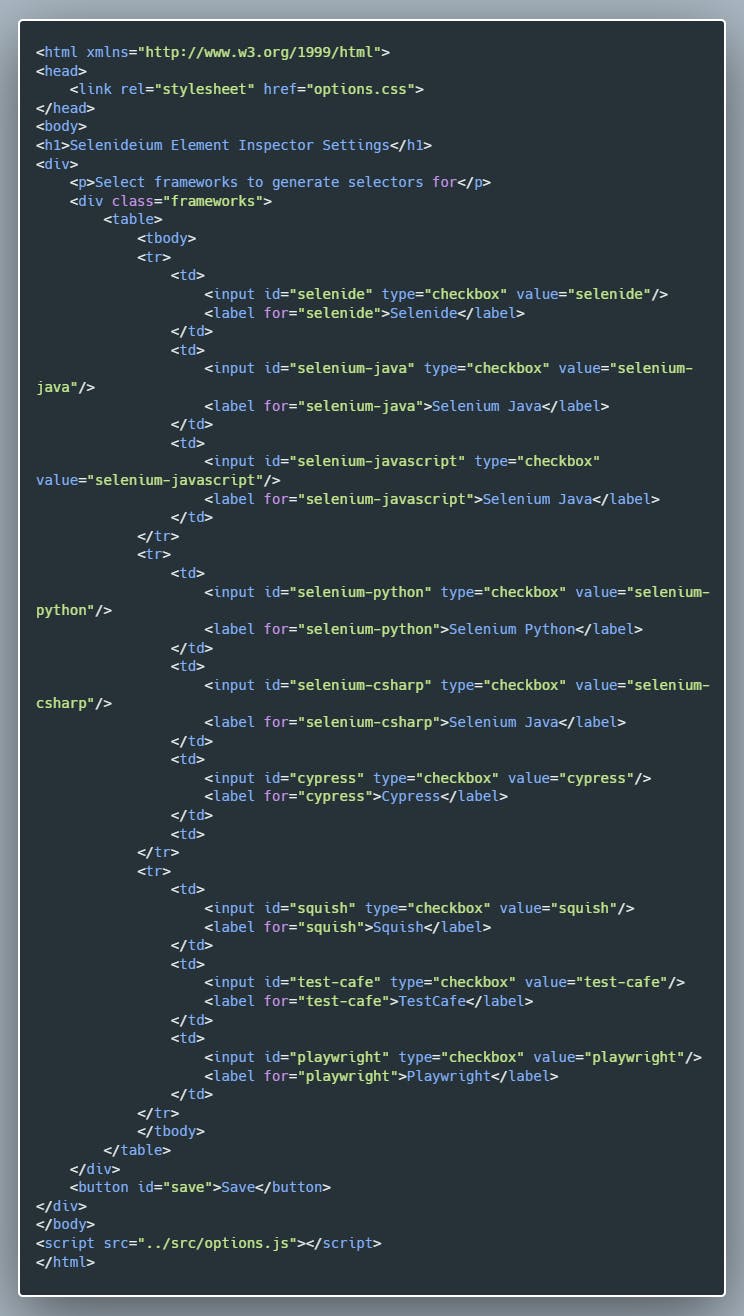
We also need a small CSS file options.css:
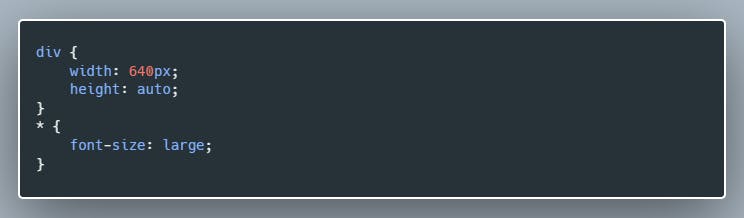
Store and load settings in chrome storage
Well, this is tricky part number 1. It took me hours of trial and error and googling and also some help from my colleague Zsolt Ilonca to solve this. We did not really became friends with the assynchronity of JavaScript. To be honest, I am pretty sure the code could be much simpler, so please do not hesitate to share your improvement suggestions with me. 🙏
Basically what we are doing is restoring the settings from Chrome local storage on the DOMContentLoaded event and we are adding click event listeners for the inputs, based on which we update the local settings.
This is the options.js file:
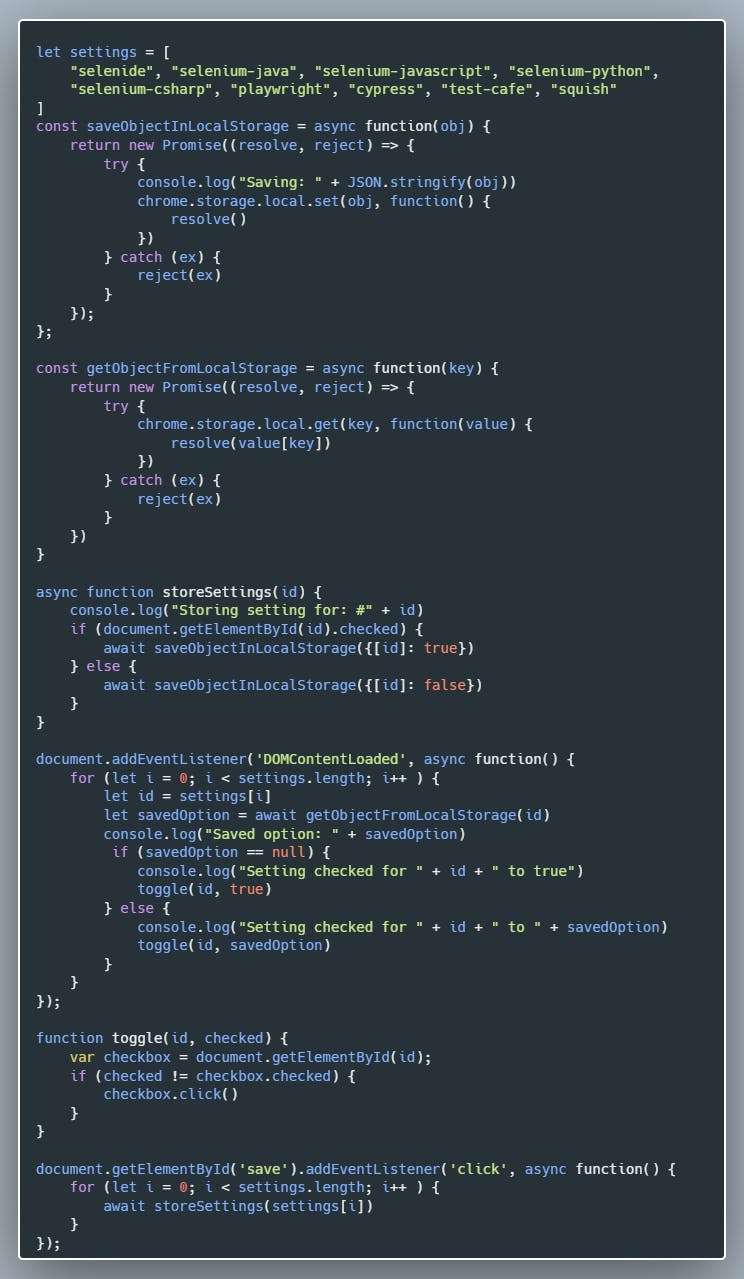
Let's continue with the last step.
Log selectors only for the selected frameworks
Here again, Javascript async/await tricked me so it again took me a few hours to implement this. Here is the relevant part of the content.js code:
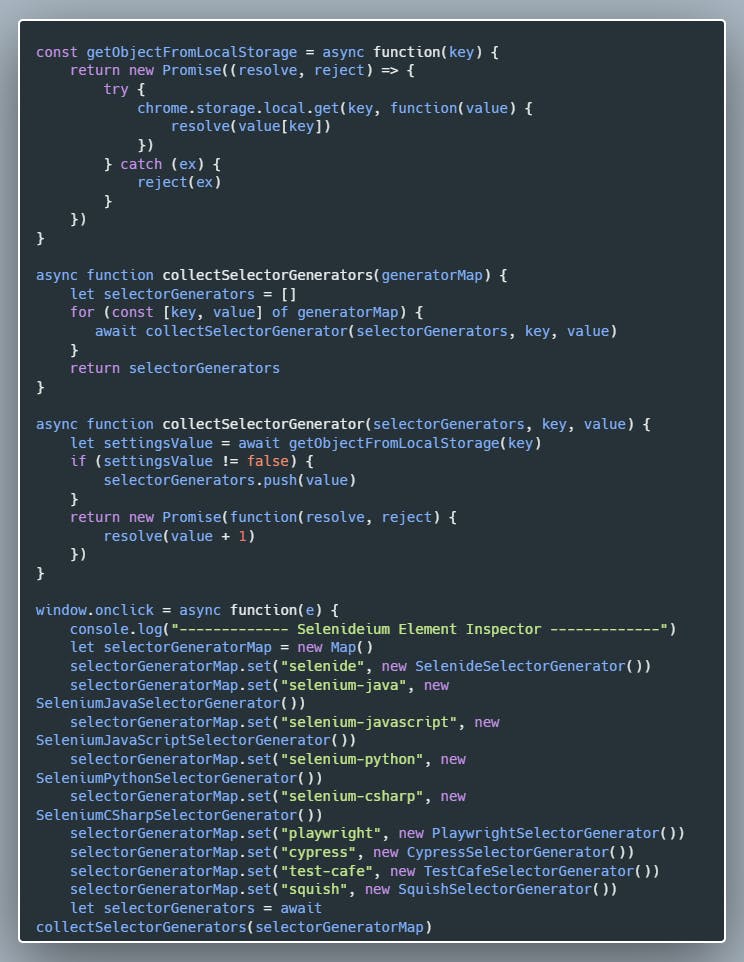
Aaaand we are done. It is time to submit the plugin into the Chrome Web Store and to wait a few days to be accepted, then I will immediately post this article. 😊
Download the plugin: Selenideium Element Inspector.
P.S.: Thanks for sharing the article. 👍
In case you do not want to miss my posts, just follow me here on Hashnode, on LinkedIn, on Twitter on Medium.com, on dev.to and even on Instagram. 😊

📚Join the Selenide community on LinkedIn! ✌


